Industry Products
Parts and Manuals Download Pages for Compact Snow Equipment Dealers
Dealers selling compact snow equipment need clear manuals, parts lists, installation sheets and warranty files before winter support starts.
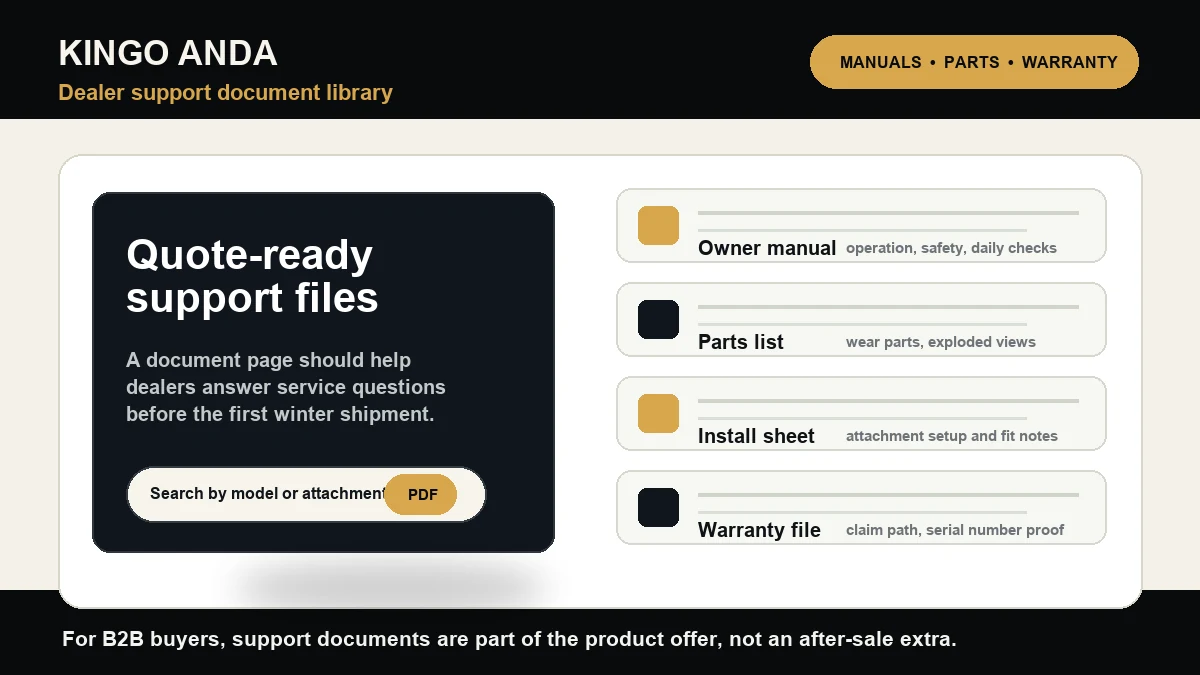
A dealer can sell the right machine and still lose the account after delivery if the support documents are thin. Winter equipment buyers do not wait until a failure to ask for proof. They ask before the first order: Where is the owner manual? Is there a parts list? Which wear items should be stocked? Can a technician identify the attachment, serial number and installation steps without calling the factory every time?
That is why a parts and manuals download page is not a decoration for a compact snow equipment site. It is a working sales asset. For KINGO ANDA dealers, OEM buyers and municipal purchasing teams, the document page should shorten the quote cycle, reduce support friction and make the equipment program look organized before a sample order ships.
Head brands make documents easy to find
Look at how the snow equipment market handles support. SnowEx runs a document library organized around parts lists, install instructions and owner’s manuals, with product-type paths that include plows, spreaders and sidewalks. BOSS Snowplow separates manuals from electrical systems, troubleshooting, technical information, part posters, specifications, warranty policy and product brochures. Buyers Products lets visitors search by equipment model or part number to download owner manuals or installation instructions, and it also offers downloadable catalog PDFs for SnowDogg, SaltDogg and municipal snow and ice management lines. Sno-Way puts manuals, documents, application guides, service videos, FAQ and warranty resources inside its service center.
The pattern is clear. Established brands do not leave service documents buried in email threads. They build a visible support path because dealers, fleet managers and maintenance crews need repeatable answers.
The page should answer pre-sale questions
A good document page should not wait for after-sale service. It should help a buyer confirm whether the product can be quoted. For compact walk-behind platforms, the minimum document set should cover the power unit, attachment compatibility, operation, routine maintenance, wear parts, packaging, warranty and safe installation notes.
That matters because compact snow packages are usually sold as a system, not as one box. A buyer may compare a sweeper, blade, thrower, rotary brush, collector, trailer and spare-parts kit in the same conversation. Without a document page, the dealer has to rebuild the explanation in every email. With a document page, the dealer can link the same controlled files from the Parts & Service page, the product grid and each quote follow-up.
Use document categories buyers actually understand
The wrong structure is a dump of random PDFs named by internal factory file codes. The right structure starts with buyer tasks. A dealer wants to search by model, attachment, document type and language. A technician wants diagrams, part numbers and replacement intervals. An OEM buyer wants private-label artwork notes, carton marks, certification files and warranty language. A municipal buyer wants safety, service and procurement attachments that can be forwarded internally.
KINGO ANDA should group the future download page around practical categories: owner manuals, parts lists, attachment install sheets, compatibility tables, warranty files, packing and label documents, catalog PDFs and dealer support forms. The earlier post on attachment compatibility tables should sit beside this page, not away from it.
Parts lists are sales tools when winter is close
A parts list is not only a service document. In snow season, it is inventory planning. Dealers need to know which broom rings, scraper edges, skid shoes, belts, fasteners, shear pins, bearings, cables or wearing components belong in the first shipment. The same logic applies to previous KINGO ANDA posts on compact snow thrower attachment parts and snow blade wear items.
When the support page shows replacement parts clearly, the quote becomes more credible. It also helps dealers sell a starter kit instead of shipping only the machine. That is especially important for small equipment lines where the dealer may not yet have a deep installed base or a full parts history in the market.
Build the page before paid traffic scales
This is also an advertising issue. If a Google Search visitor lands on a product page and sees no manuals, no parts files and no warranty route, the site looks unfinished. B2B equipment buyers do not need a glossy paragraph saying the factory is reliable. They need signs of support discipline. A visible document library, even if it starts with a small controlled set, is a stronger trust signal than another generic company-history block.
The first version does not need hundreds of PDFs. It needs clean categories, clear file names, consistent dates, useful alt text for document cards, and a form path for files that should be sent by the support team rather than exposed publicly. Start with the core power unit, snow sweeper, snow blade, snow thrower and spare-parts kit. Add private-label and dealer files when they are ready.
Dealers preparing a KINGO ANDA package can use Dealer Support and Build Your Package to request the current catalog, parts list and support file set. As the library grows, those same documents should become internal links from the product pages, seasonal posts and quote follow-up emails.
Prepare the dealer document set.
Send model interest, target attachments, buyer type and market. KINGO ANDA can prepare the right catalog, parts and support document path for the quote.
Industry references checked: SnowEx document library, BOSS manuals and technical information, Buyers Products manuals, Sno-Way service center, Buyers Products downloadable catalogs.